Not a generic companion app with your logo dropped in. This is our own firmware, our own BLE protocol and our own application — already in daily use, and rebrandable for your market.
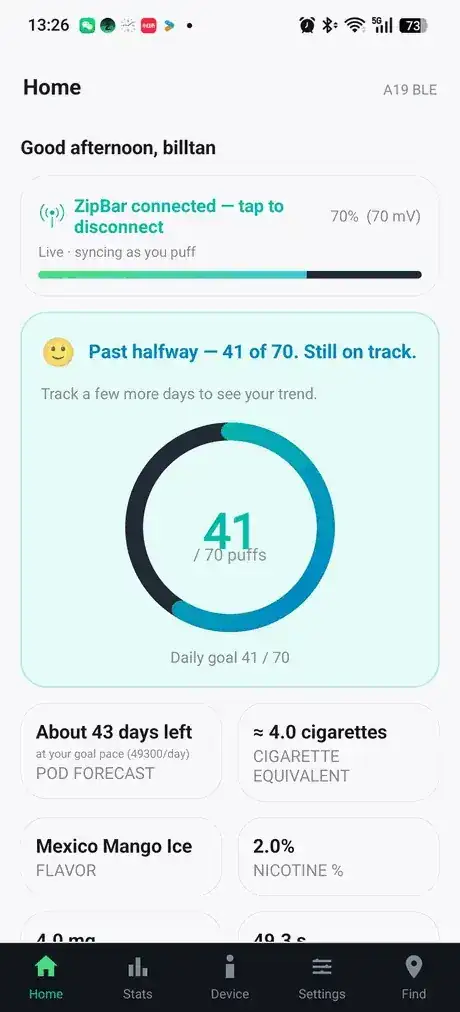
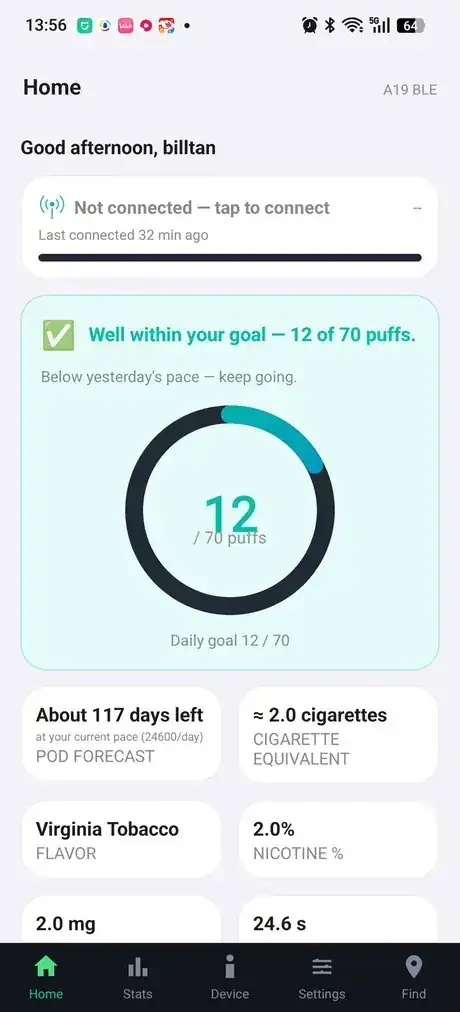
A live ring shows today's puffs against the user's goal, with remaining-day estimates, cigarette-equivalent context, and the flavour and strength currently in the device. The header keeps the user informed of link state and when the device was last seen.
Set a target and see progress, over-target and under-target states clearly.
Users can see the device is connected and data is flowing — not guess.
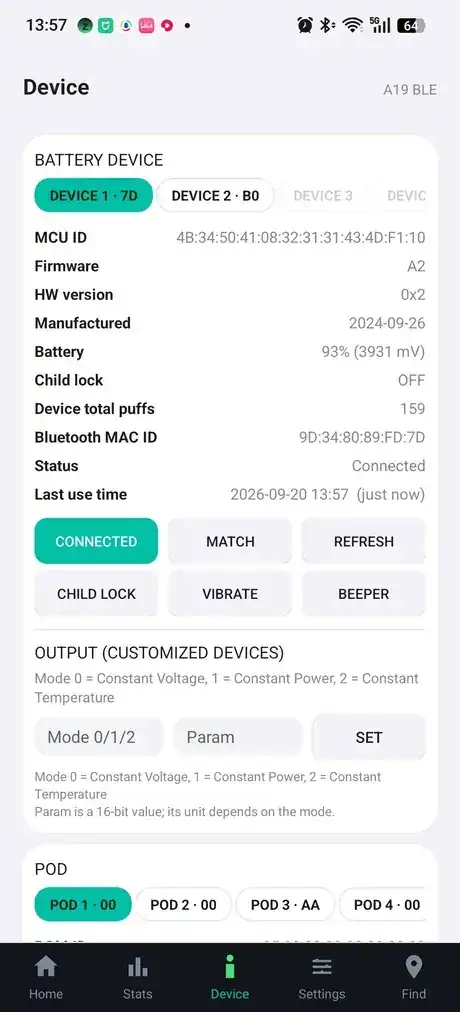
Every battery is identified uniquely. The app reads MCU ID, firmware version, hardware version, production date, battery percentage, Bluetooth MAC and total puffs straight from the device — plus child-lock state and last-used time.
One account manages several batteries, each with its own history and totals.
A device matched to one account cannot be claimed by another.
Child lock, vibration alert and audible beep are triggered from the same screen.
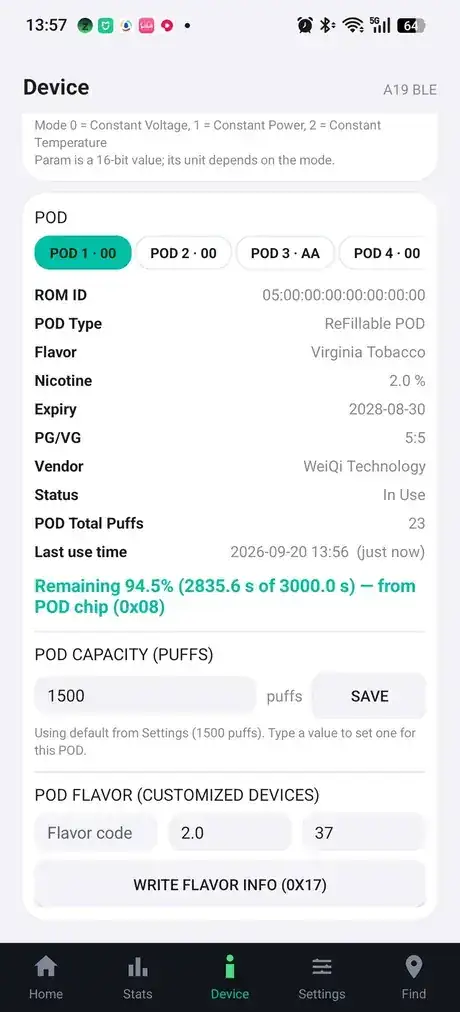
Each POD carries its own record: flavour, nicotine strength, PG/VG ratio, expiry date and the manufacturer string read straight off its chip. Remaining capacity is tracked per POD, and capacity or flavour edits are stored against that POD's unique ID.
Flavour, strength and manufacturer come from the POD itself, not from user input.
Set a capacity for one POD without changing the default used by the others.
Editing is enabled on refillable PODs and locked on prefilled ones.
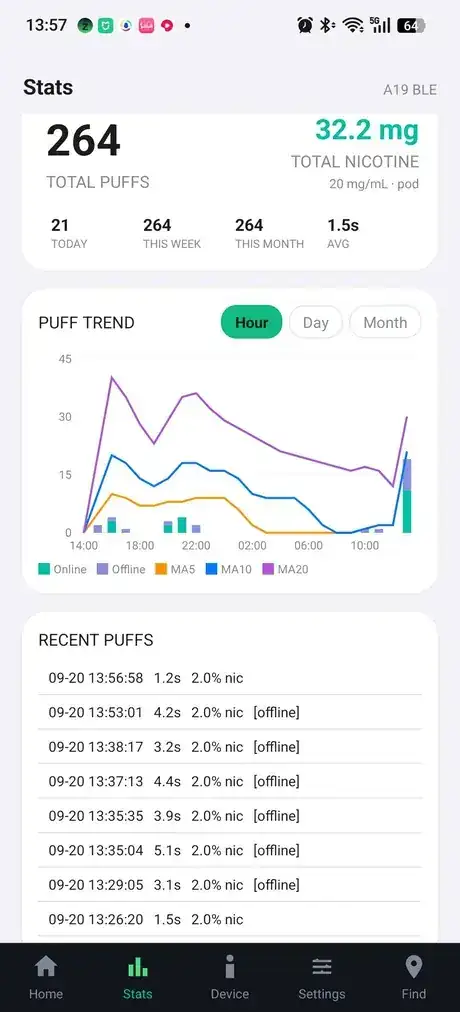
Hour, day and month trend views sit above a rolling log of individual draws. Each entry records duration and nicotine strength, and is marked with where it came from: a Bluetooth icon for data captured live over the link, or an offline tag for data stored in the device and synced on reconnect.
Online and offline records are distinguished, never mixed or double counted.
Duration and strength logged individually, not just a daily total.
Useful for warranty, consumer insight and regulatory file support.
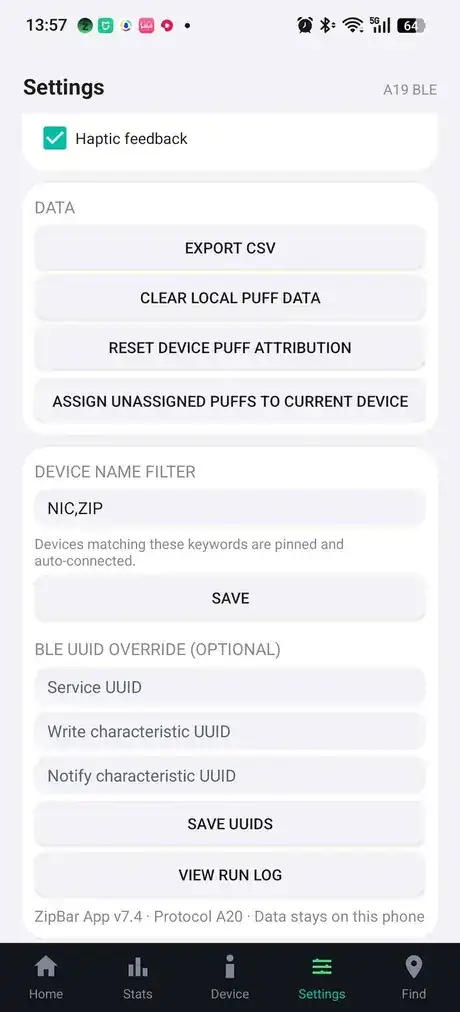
Account, daily goal, device model, default POD capacity, offline-sync behaviour and haptic feedback are all configurable. Data can be exported to CSV, and a built-in runtime log shows the raw Bluetooth frames for engineering review.
App name, branding and model strings are set per client build.
CSV export and local data controls stay in the user's hands.
A runtime log exposes live TX/RX frames for troubleshooting without extra tools.
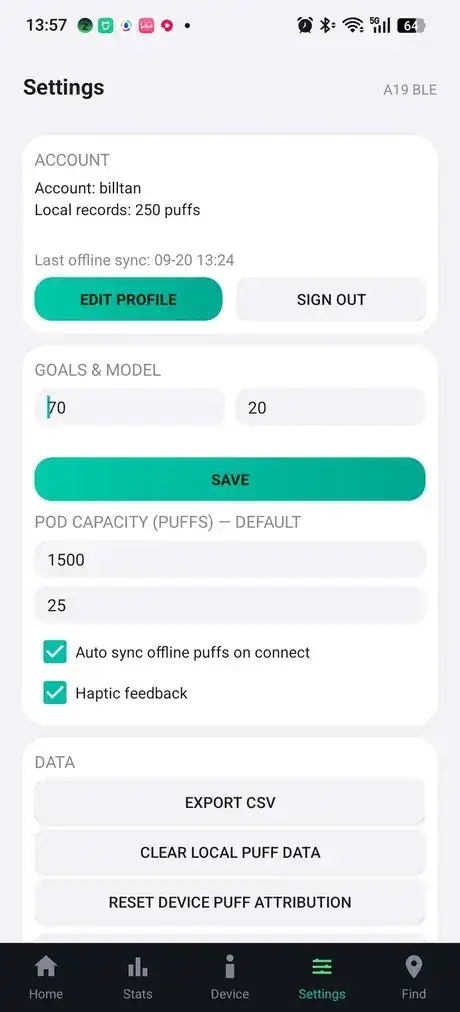
The screenshots below are taken from the production app during live device testing — connected to a real battery, reading a real POD chip, logging real draws.
A continuous screen recording — pairing, POD identification, live draw capture and synchronisation, captured on production hardware. No edits, no mockups.
Tracking is only half of it. The app also drives the device.
Trigger an audible beeper from the app. The device answers even when it is not in your hand.
Set a silent vibration when sound is not appropriate. Runs for a set period, then stops.
Lock and unlock from the app, with the device staying locked when idle.
Hour, day and month trend views, with a recent-puff log showing duration and strength per draw.
Data recorded while the phone is away is pulled into the app on reconnect — no gaps, no double counting.
Live battery percentage and coil resistance, mirrored from the device screen.
Firmware, BLE command set and application were developed together. That matters when you want a change: there is no third-party module waiting on someone else's roadmap.
Handshake, identity, puff reporting, offline storage, configuration and control commands all defined in-house.
Framed command set with CRC verification, covering device info, POD identity, online and offline puff data.
Native iOS and Android clients, rebranded per programme, with the same interaction model on both.
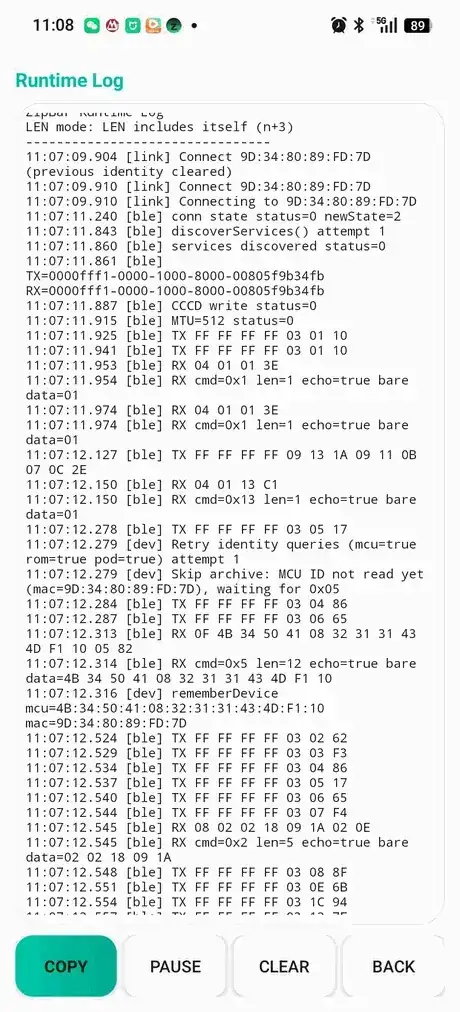
A built-in runtime log records every command and response with timestamps — transmit and receive, command IDs, raw payload bytes and parsed values. Handshake, identity queries, puff reporting, offline retrieval and control commands are all visible in plain text.
Diagnose a device, a batch or a firmware build without special tools.
Your engineering team can read the command set, not take it on trust.
Log export for joint troubleshooting during your own integration.
We can ship evaluation units with the app pre-installed, or walk you through it on a call.
